Photo Aspect Ratios Compared: Choose 3:4, 1:1, or 4:3
PhotosLux ·
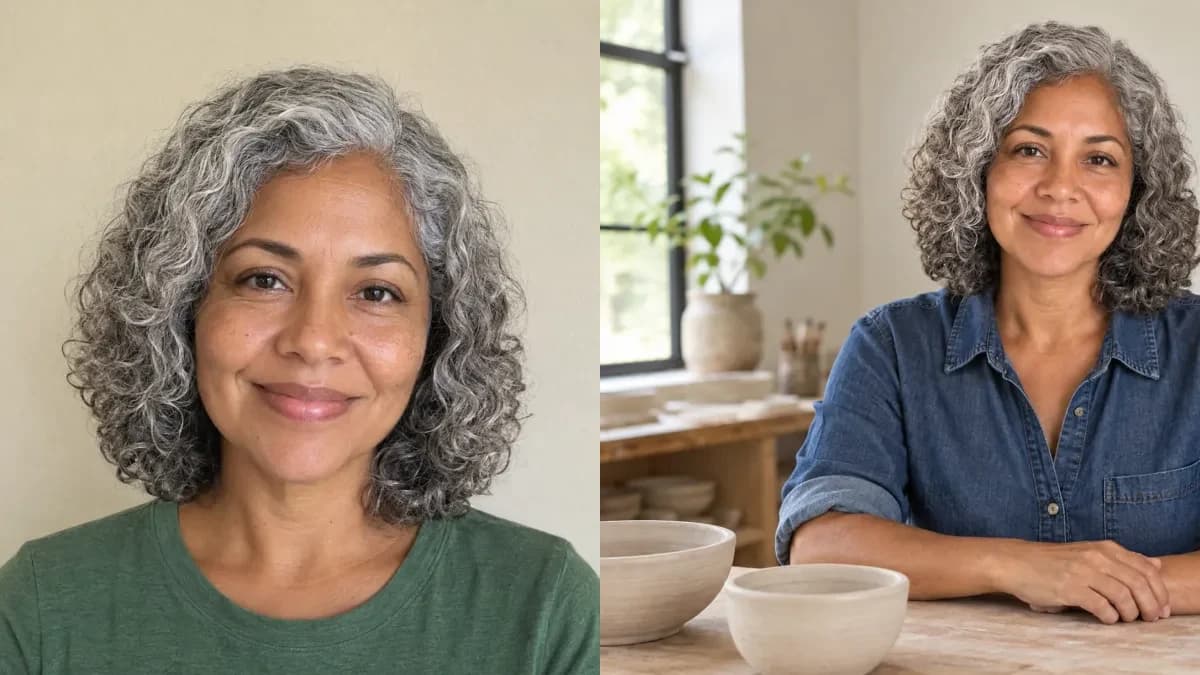
Choose 3:4 portrait for vertical room, 1:1 square for a compact balanced tile, or 4:3 landscape when the person and their surroundings both matter. For a PhotosLux photo, pick the shape that best matches its intended placement before generating, because displaying it in a different shape can cut off part of the framing.
1. Read width:height, not pixels
An aspect ratio describes the relationship between an image’s width and height. In width:height notation, 3:4 is taller than it is wide, 1:1 has equal sides, and 4:3 is wider than it is tall. For example, 900 × 1200 illustrates a 3:4 shape; it is not a promised PhotosLux export size.
Ratio and resolution are different: the ratio describes shape, while pixel dimensions describe how many pixels an image contains. Choosing a ratio sets the framing for a new PhotosLux photo; it does not mean the app will resize or crop an existing result.
2. Choose 3:4 for vertical room
A 3:4 portrait aspect ratio is a useful starting point when the person’s vertical presence is the priority. It leaves more room above and below a person than a square frame, which can suit an upper-body portrait or a composition where you want more of the person’s clothing visible.
The tradeoff is less room for side context than in a landscape frame. If a 3:4 image is later shown in a square frame, a centered crop may remove headroom or lower-body detail. Choose the vertical shape when that extra height matters more than the surroundings.
3. Choose 1:1 for a compact tile
A 1:1 square gives the portrait a balanced, compact shape that can work well as a profile tile or other square placement. It is a straightforward choice when you want the person to be the focus without committing to a strongly vertical or horizontal composition.
A destination may display a square image inside a circular frame or apply other presentation rules, so check its actual frame rather than assuming every profile uses the same dimensions. If a circle is involved, keep important parts of the portrait away from the corners, where a circular display can hide them.
4. Choose 4:3 for the person and their setting
A 4:3 landscape frame leaves more space beside the person, making it a good choice when the setting helps tell the story. It can show a workspace, a table, or other surroundings alongside an upper-body portrait. Keep any context you need visible comfortably inside the frame, not right at its edges.
For example, a fictional adult in a ceramics studio can be framed behind a worktable with bowls and studio context visible on both sides. If that landscape image later appears in a square tile, objects near the sides may be cropped away.
5. Check the destination’s frame before generating
A centered square crop of a 4:3 image keeps 75% of its width, removing 12.5% from each side. A centered square crop of a 3:4 image keeps 75% of its height, removing 12.5% from the top and bottom. These are illustrative crop calculations, not a PhotosLux crop feature; an actual display may frame the image differently.
Use this quick rule: choose 3:4 for vertical room, 1:1 for a compact tile, or 4:3 for horizontal context. Inspect the destination’s actual frame before choosing, and generate for the shape you need. If another shape is essential, plan a new scene for it rather than stretching faces or assuming the same composition will carry over unchanged.
Illustrative example
Illustrative 4:3 ceramics-studio portrait
This illustrative example pairs a synthetic reference of a fictional 50-year-old woman—curly silver hair, brown eyes, warm medium-brown skin, green T-shirt against a cream wall—with a new synthetic PhotosLux professional portrait. In the result, she wears an indigo denim shirt with rolled sleeves while posing behind a light wood table with two plain unglazed bowls in a quiet ceramics studio. Soft window light, a natural treatment, relaxed smile, resting hands, and 4:3 landscape framing preserve studio context on both sides. Both images are AI-generated; outcomes vary.

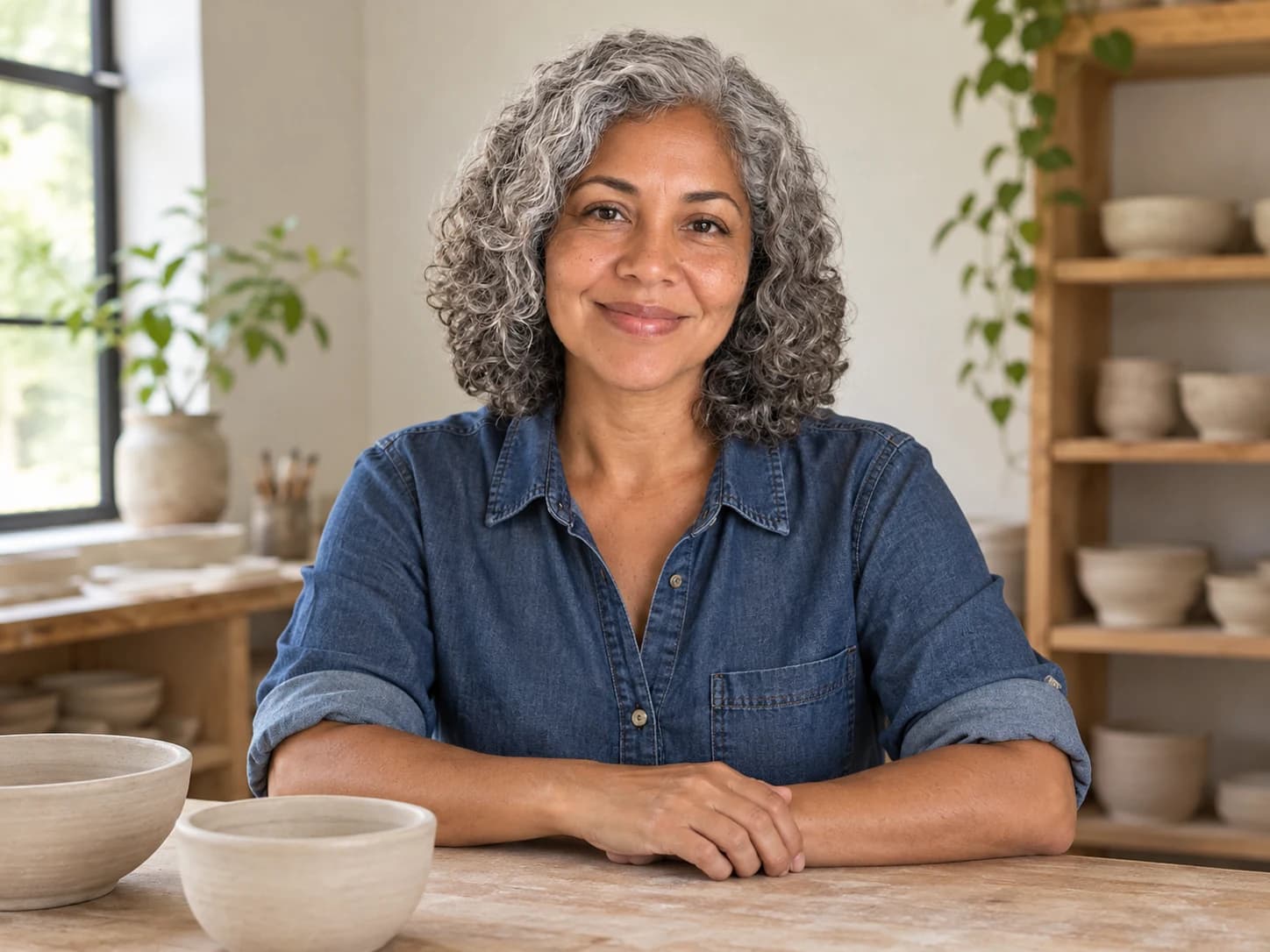
One adult in a relaxed upper-body portrait behind a light wood table in a quiet ceramics studio, wearing a plain indigo denim shirt with sleeves rolled to the elbows. Include two plain unglazed ceramic bowls and soft window light. Use a natural photographic treatment, a gentle smile, and hands resting naturally on the table. Keep the person near the center with studio context on both sides. 4:3 landscape. No tools held, signs, lettering, or logos.
Both images are AI generated and show a fictional adult. This is an illustrative example, not a customer result; outcomes vary.
FAQ
Does aspect ratio change resolution?
Aspect ratio describes width compared with height; resolution describes pixel dimensions. A ratio alone does not specify the size or detail of an exported image.
Is portrait always the best aspect ratio for a person?
No. Choose 3:4 when vertical room matters, 1:1 for a compact balanced tile, or 4:3 when the surroundings are part of the composition.
Will one generated image fit every placement?
Not necessarily. A placement with a different shape may crop parts of the image. Check the intended frame and choose a matching ratio before generating.