Repair a Scratched Black-and-White Photo Without Inventing Detail
PhotosLux ·
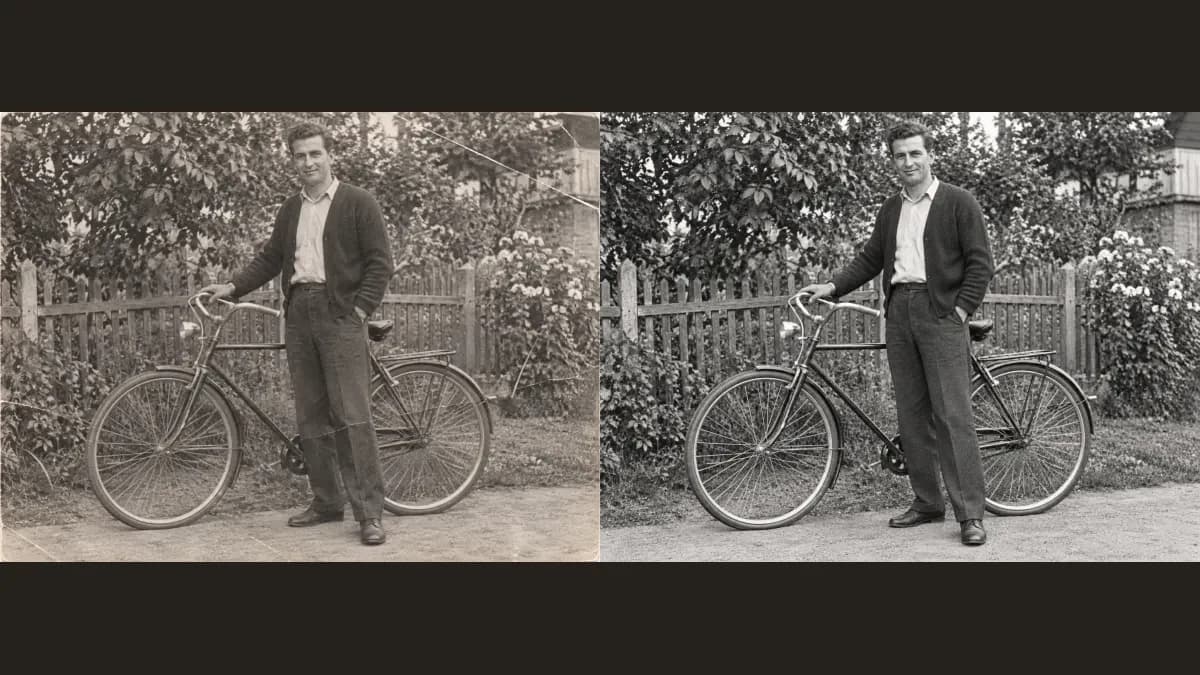
You can ask for scratches and mild creases to be repaired while explicitly keeping an old photo black and white. Preserve an untouched digital original, because a cleaner generated result can still interpret uncertain details rather than recover them as fact.
Start with a preservation decision
Separate visible surface damage from information that is missing or unclear. A scratch crossing an otherwise plain background may be a reasonable repair target; a gap that hides part of a face or handwriting is different. Removing the mark may require a restoration to interpret what belongs underneath it.
Before working on a digitized photo, keep a separate copy of the source file. Ask for the original framing, recognizable people and objects, clothing, and monochrome tones to remain. A request states your priorities; it cannot verify that every detail in the result is unchanged or historically accurate.
Copyable request
For a digitized black-and-white photo with surface scratches or mild creases, adapt this instruction:
“Keep this photo black and white. Repair visible scratches and mild creases gently. Preserve the people, objects, clothing, grain, and full framing. Do not colorize or modernize. Do not invent missing details.”
Name the features that matter in your own photograph. If an area is damaged beyond recognition, you can ask that uncertainty remain visible rather than asking for a guessed face, object, or writing.
Three repair-versus-reconstruction decisions
Scratch across a plain background: If the mark crosses a simple area and does not obscure a meaningful edge, request gentle surface repair. Compare the surrounding tone and texture afterward; a smooth patch that looks unlike the rest of the print may be less faithful than a visible scratch.
Scratch across a recognizable edge: If it crosses a face outline, bicycle frame, clothing seam, or another identifiable boundary, request restrained repair while naming that feature as something to preserve. Inspect the edge closely. A plausible-looking line can still be a changed interpretation, so keep the original available for comparison.
Damage over a face or writing: When the mark hides facial features or letters, the missing information cannot be confirmed from the damaged area alone. Avoid asking the tool to complete it as fact. Leave uncertainty visible, accept only a result that does not mislead you, or use the untouched source when that uncertain area matters.
Worked case: a garden photograph and bicycle
Imagine a fictional aged garden photo with a man beside a bicycle. Fine scratches cross the background and lower clothing; two mild crease traces and overall fading are also visible. The person and bicycle remain recognizable. Appropriate targets are those visible marks and fading. Anchors to compare are the man's face and clothing, the bicycle's wheels and frame, the fence, the garden setting, monochrome grain, and the complete framing.
A displayed restoration of this synthetic example illustrates one generated interpretation, not a controlled comparison or a promise that each anchor will remain unchanged. Check the actual result for unexpected edits, especially around the face and bicycle geometry. Do not treat any newly plausible-looking detail as recovered history.
Using Photo Restore and deciding whether to keep the result
Photo Restore accepts JPEG, PNG, or WebP files up to 20 MB. You can add optional instructions of up to 300 characters; the image framing is handled automatically. For this case, the example request asks for gentle scratch and crease repair, retained monochrome, and preservation of the recognizable adult, bicycle, fence, clothing, grain, and full framing. It also says not to modernize or invent missing detail.
Compare the result with your saved source. Are the identifiable features and scene anchors still recognizable? Does the image remain monochrome with a texture that fits the photograph? Did any uncertain area become newly specific? Keep the source separately, and use the restoration only if its changes suit your purpose. A generated interpretation is not evidence that a reconstructed detail was present in the original.
Illustrative example
Illustrative case: a monochrome garden photograph
The synthetic input is an aged black-and-white, full-frame garden photograph of a fictional adult man in a light shirt, dark cardigan, and plain trousers beside a vintage city bicycle. Fine scratches, two mild crease traces, and modest fading are visible; the man and bicycle remain readable. The requested repair is gentle and monochrome. The result should retain the adult, bicycle, fence, clothing, grain, and full framing. Both images are AI generated, not customer or historical evidence. This single result is an interpretation; outcomes vary, so compare it for unexpected changes.
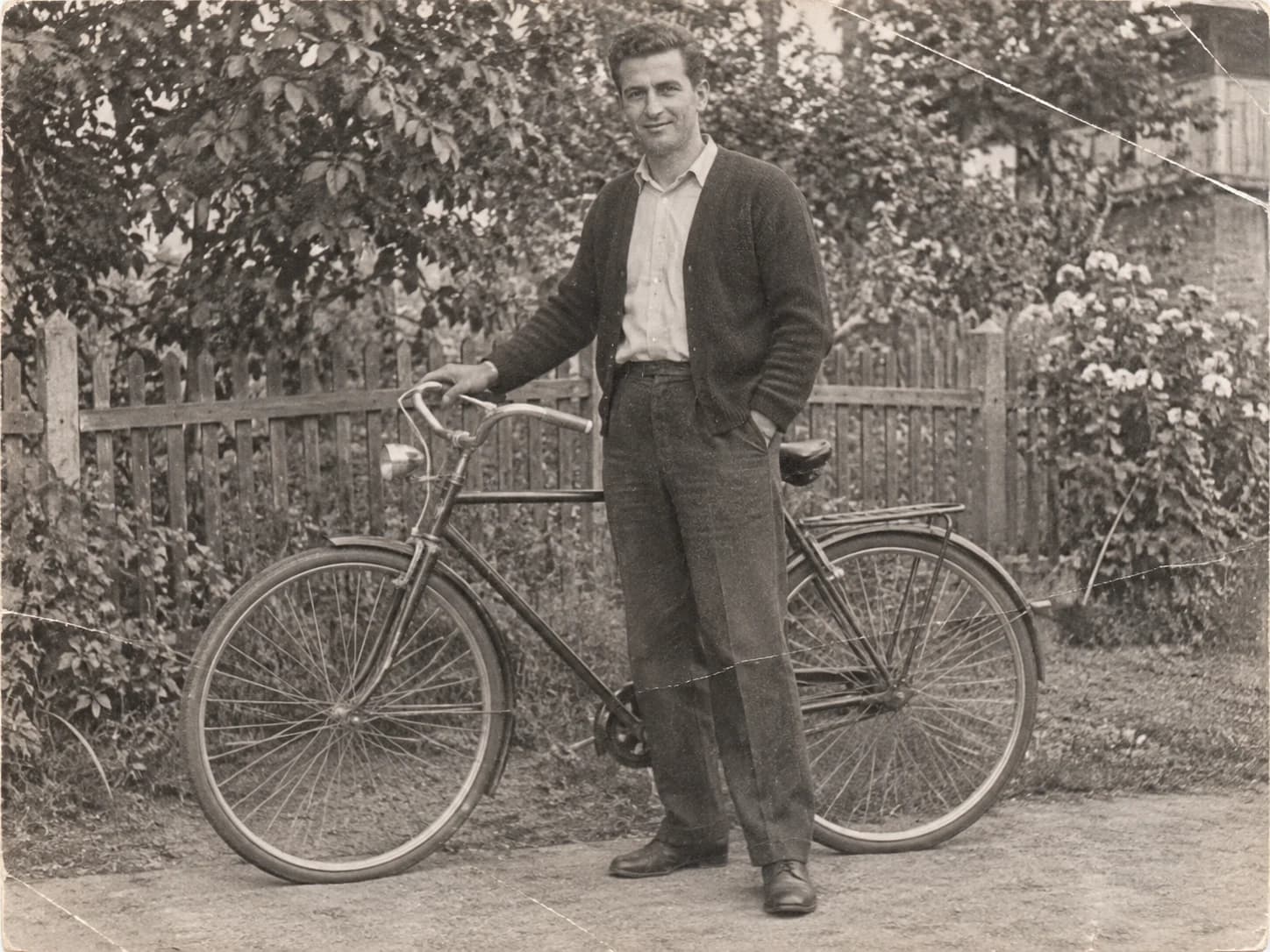
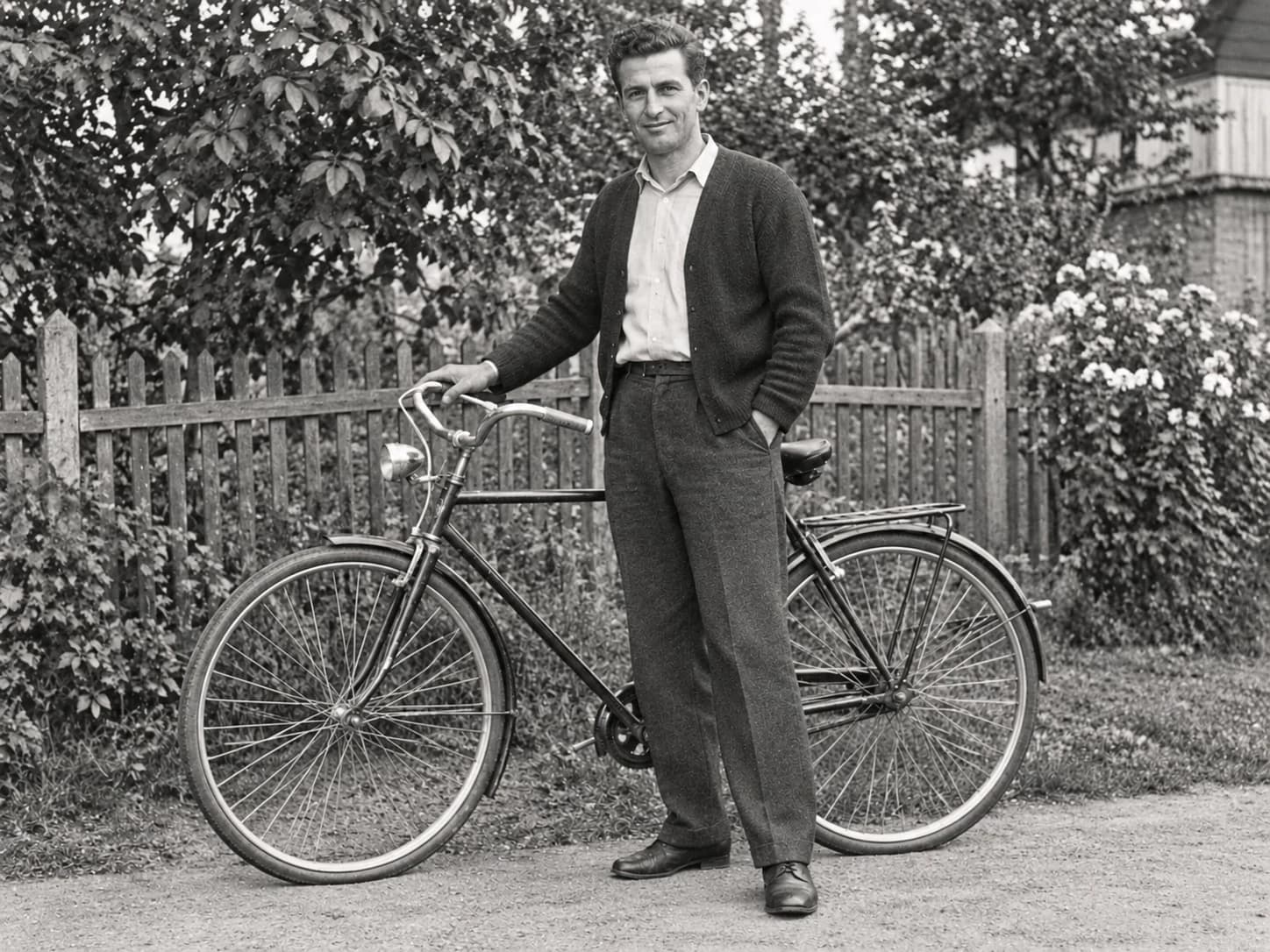
Gently repair visible scratches and mild crease marks in this black-and-white garden photograph. Keep it monochrome; do not colorize or modernize it. Preserve the recognizable adult, bicycle, fence, clothing, natural film grain, and full original framing. Do not invent missing details.
Both images are AI generated and show a fictional person, object, or setting matching this example. This is an illustrative example, not a customer result; outcomes vary.
FAQ
Can I repair scratches without colorizing the photo?
You can explicitly request that the photo remain black and white and not be colorized. Review the generated result, since an instruction is a request rather than a guarantee.
What should I do when a scratch covers a face or handwriting?
Treat the obscured information as uncertain. Ask for restrained repair without inventing missing detail, keep the source, and leave the area visible or use the original if guessing would be misleading.
Why can a clearer result contain invented detail?
When damage obscures part of an image, a generated restoration may interpret what could be there. A plausible result is not proof of what the original showed, so compare it with the source and avoid treating reconstructed details as recovered facts.