Small Garden Layout: Plan the Patio-to-Gate Route Before Seating and Plants
PhotosLux ·
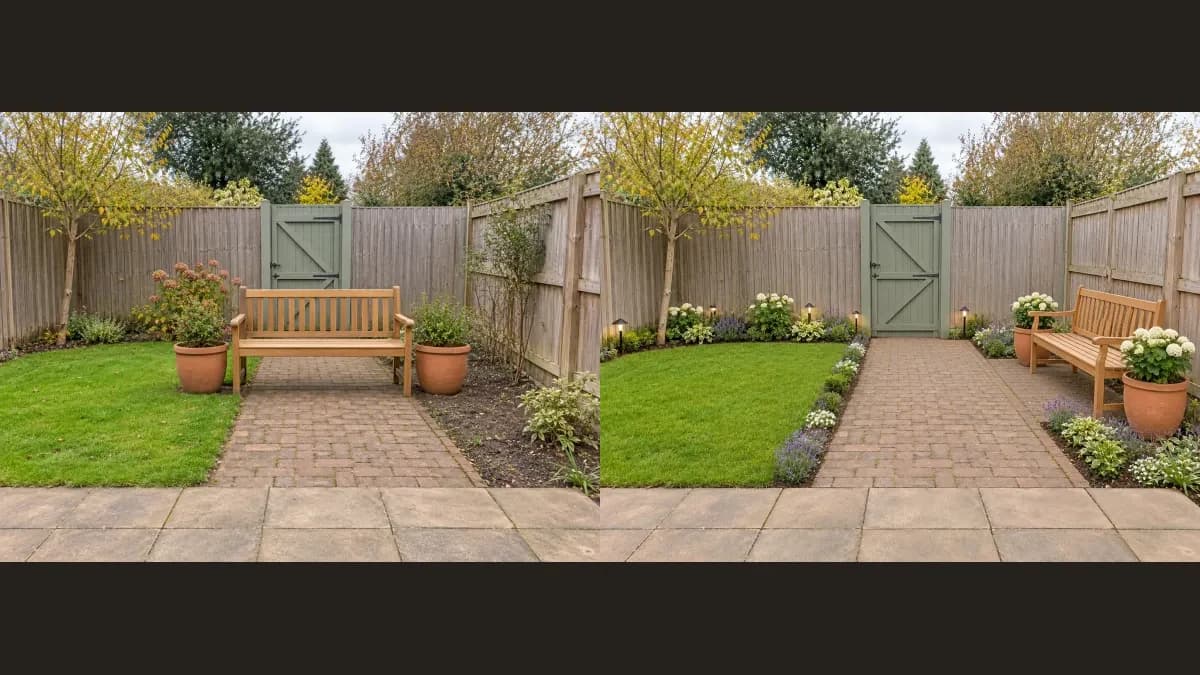
To arrange a small garden without interrupting the route from patio to gate, plan that connection first, place seating beside it, and add planting along the edges last. This gives you a complete route-first layout to use before moving furniture or asking for a visual preview.
A filled patio-to-gate layout
Start: the foreground patio. Destination: the closed gate centered in the rear fence. Route: one visible brick-paver path connecting the patio to the gate. Pause: a wooden bench beside the path at the right fence, not across it. Planting: low plants along the edges, with the route left open. Keep the fences and gate visible as the layout's boundaries and destination.
In this small-garden layout, the path is not leftover space between the bench and planters; it is the everyday connection between two useful places. A seat across it interrupts that job and can make the gate feel awkward to reach. Move the bench beside the route first. Then place planters and edge planting where they add greenery without competing with the connection.
Use this blank layout note
Start: [where the route begins]. Destination: [the gate or other place you need to reach]. Connecting route: [the visible path between them]. Seating or pause spot: [beside the route, with its location]. Planting: [edge or border locations, added after the route and seat].
Still to check on site: [gate swing, surface condition, drainage, access needs, or other unresolved questions]. This is a manual planning note, not a measurement or installation plan. Walk the route in the actual garden and check anything that a photograph cannot establish before making physical changes.
Choose a photo that shows both ends
Use a source photo taken from the patio or another natural starting point, looking toward the gate. The frame should show the route's beginning, its destination, the connection between them, and the bench that needs to move. Include the fences and surrounding edges so the proposed seat and planting can be discussed in context.
If the gate or part of the path is hidden, the image cannot show whether the proposed layout connects to it. Choose a clearer view rather than relying on a preview to infer what is outside the frame. A visible route in a picture helps with an appearance discussion; it does not establish physical clearance.
Request the arrangement, then inspect the result
For the example, the concise Garden Design request is: “Move the wooden bench to the right fence beside the path. Keep a continuous visible path from the foreground patio to the rear gate. Add low planting only along the edges.” Separately, use these preferences: “Keep the rear sage-green gate, timber fences, patio, brick-paver route, camera view, terrain and overcast daylight recognizable. Move both planters to the edge beside the bench. No people, extra gates, writing or signs.”
Review the actual result by tracing the route from the patio to the gate. Is the full connection visible? Is the bench beside rather than across it? Are the planters and low planting at the edges? If the path is blocked, an endpoint disappears, or the gate position changes, the image does not illustrate the layout you asked for. Preferences are requests, not guarantees.
In PhotosLux, choose Garden Design and upload one JPEG, PNG or WebP image up to 20 MB. The request field allows up to 200 characters and separate extra preferences up to 300. This example uses no style preset or second reference; framing is automatic.
What one preview can and cannot settle
A Garden Design preview can help you discuss the appearance of moving the bench and planters while keeping a route visible. It can also suggest how low edge planting might look. Use the filled layout note whether or not you generate an image; the route-first decision is useful on its own.
One generated concept cannot verify path width, accessible clearance, gate swing, drainage, plant suitability, construction details, or whether the layout is buildable. Check those questions in the actual garden before buying plants or changing the path. Treat the image as an appearance idea, not a measured plan or installation verdict.
Illustrative example
Illustrative example: move the bench beside the route
The synthetic source shows a small rectangular garden from its foreground patio toward a closed sage-green gate. A brick-paver path connects them, but a wooden bench sits across the middle and two terracotta planters stand beside it. Garden Design requests moving the bench to the right fence, placing both planters at the edge, keeping the patio-to-gate route visible, and adding low edge planting. The gate, fences, route, view, terrain, and daylight are preferences to inspect, not guarantees. Both images are AI generated; this single appearance concept is not a measured, accessible, or buildable plan, and outcomes vary. Here the bench and both planters move to the right edge, and the patio-to-gate route remains visible. New path lights and different gate bracing also appear, so the result is a layout idea rather than exact preservation.
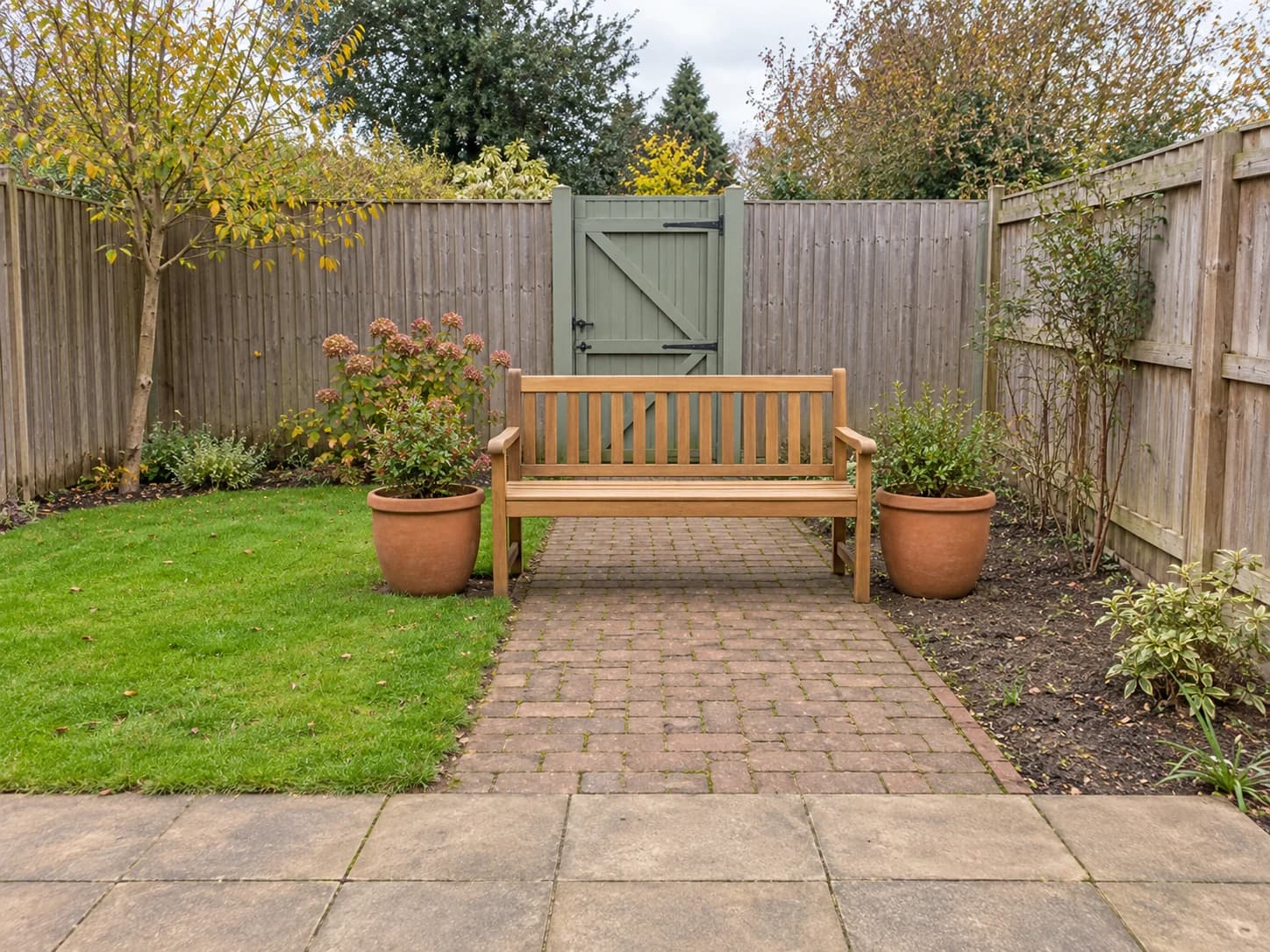
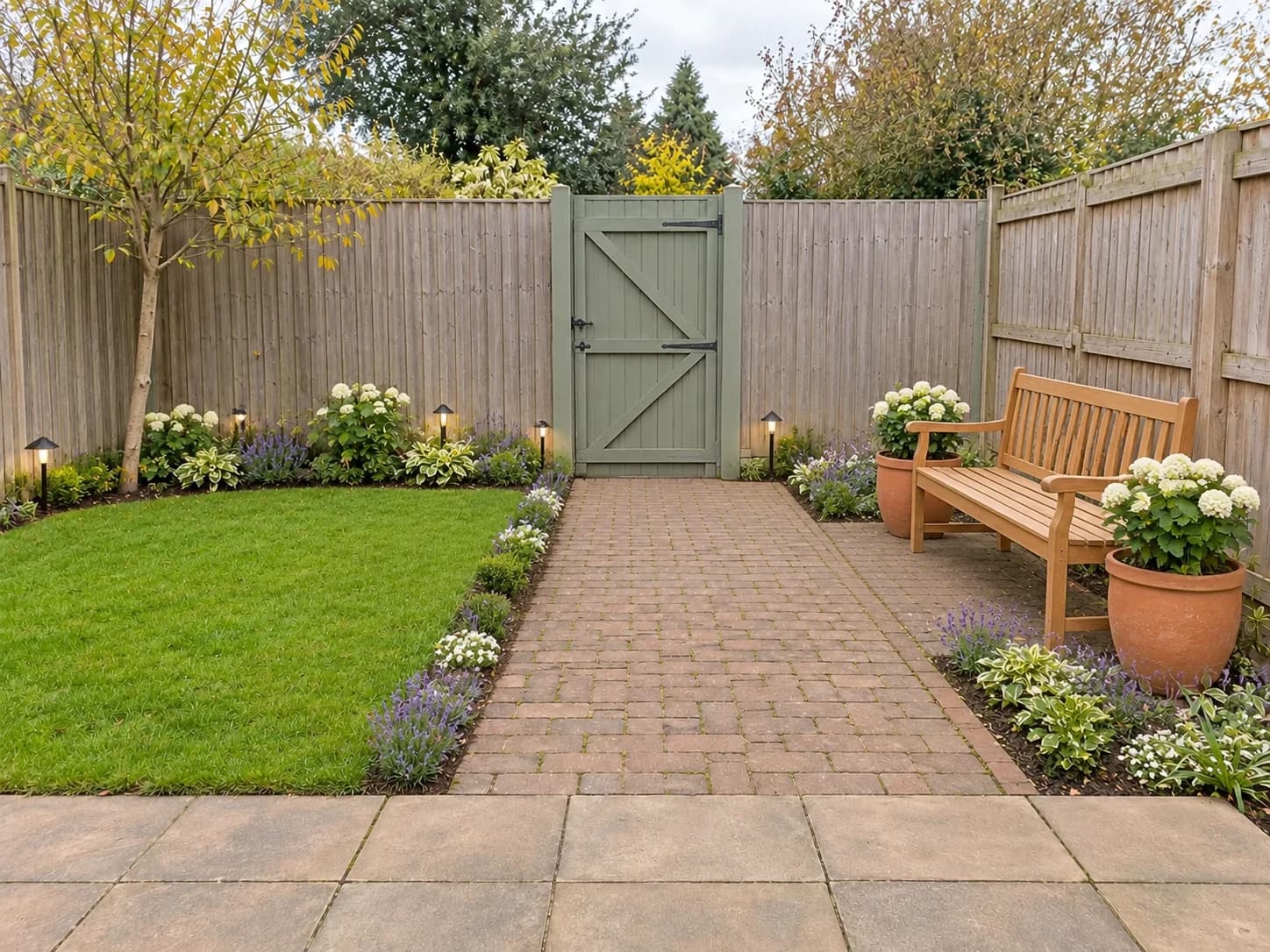
Move the wooden bench to the right fence beside the path. Keep a continuous visible path from the foreground patio to the rear gate. Add low planting only along the edges.
Both images are AI generated and show a fictional garden. This is an illustrative example, not a customer before-and-after photo; outcomes vary.
FAQ
What if the bench stays across the path?
That result does not show the route-first arrangement. Review the actual image, then adjust the request or set the preview aside; the instruction does not guarantee the bench will move as intended.
Can a garden preview prove there is enough clearance or that the gate opens?
No. A picture does not measure the route or establish gate swing, accessible clearance, drainage, or buildability. Check those conditions in the actual garden.
What should a source photo show?
Show the patio or route starting point, the gate, the connecting path, the bench, and enough of the garden edges to understand their positions. If an endpoint or the route is hidden, choose a clearer view.