Tattoo Placement Preview: Choose a Photo That Shows the Intended Area
PhotosLux ·
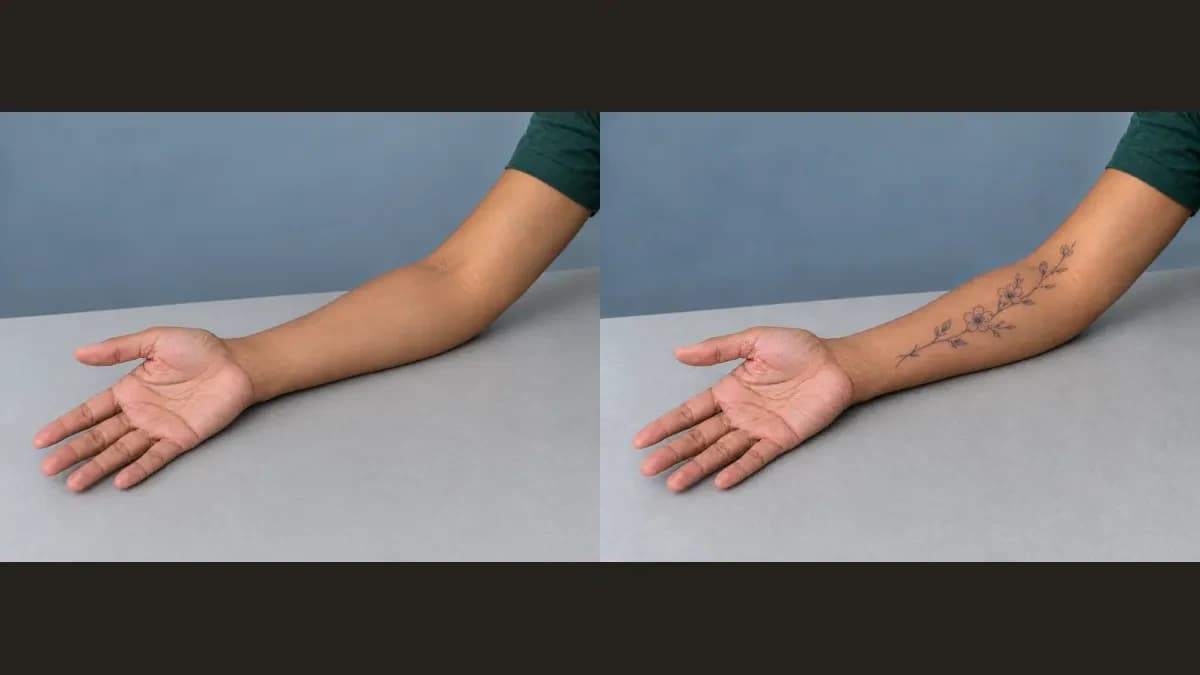
To preview a tattoo on the intended body area, choose a photo that shows the complete bare skin area along with recognizable cues such as the wrist, elbow, or shoulder. If the requested placement is hidden or cropped, the preview may interpret the design on another visible area, so source selection comes before judging the tattoo idea.
Start with the visible area, not the design
Before choosing a tattoo source photo, identify the exact body area you want to discuss: for example, the inner left forearm between the wrist and elbow. The photo should show that skin without a sleeve, hand position, crop, or object hiding the target. Include enough surrounding anatomy to recognize the side and direction of the placement.
A generated preview is useful for discussing appearance only when the intended area is visible. It does not verify what hidden skin looks like, establish exact tattoo dimensions, create a final stencil, or show how permanent ink will look on your body. Treat the image as one visual idea to inspect with a tattoo artist.
Three source-photo decisions
Sleeve hides the intended area: If you want a tattoo on the upper arm but a shirt sleeve covers it, choose a different photo. Asking for the hidden placement can lead to a design appearing on another visible part of the arm, which does not answer your question.
Wrist or crop hides the target boundary: If the photo shows part of the forearm but cuts off the wrist, hand, or elbow, retake or reframe it. Without those cues, it is harder to judge whether a lengthwise design sits between the correct landmarks or drifts toward the hand.
The full bare forearm is visible: If the complete intended inner forearm, wrist, elbow, and hand are visible, the photo is suitable for one placement idea. The body area can be recognized, the design direction can be described, and the result can be inspected against the original view.
Filled placement note: inner left forearm
Use a short placement note before generating. The following example separates the visible facts from the creative request: Body side: left. Visible site: inner forearm between wrist and elbow. Orientation: lengthwise toward the elbow. Appearance goal: one small fine-line flowering branch. Uncertainty to discuss: apparent size and how the design might suit the wearer’s anatomy.
This note is a manual planning aid, not a set of app fields or a promise that anatomy will remain unchanged. Its purpose is to make the request precise and give you a checklist for reviewing whether the result stayed on the intended visible area.
Reusable blank placement note
Body side: [left or right]. Visible site: [specific body area]. Orientation: [lengthwise, crosswise, vertical, or another clear direction]. Approximate appearance goal: [small, delicate, bold, or another visual description]. Uncertainty to discuss: [size, proportion, artist adjustment, or another question].
Keep the note tied to what the source photo actually shows. If the requested site is covered, outside the frame, or difficult to identify, select another photo before adding more detail to the prompt. More wording cannot make hidden anatomy visible.
The concise request and the acceptance boundary
For the filled example, the Tattoo Preview request is: “Small fine-line flowering branch lengthwise on the visible inner left forearm, between wrist and elbow. No lettering.” Choose the fine-line design option and forearm placement. This example uses no size preset and no separate design reference.
Add these preservation preferences separately: “Add only one tattoo on the visible inner left forearm. Keep the hand, fingers, skin tone, pose, dark-green sleeve, table, lighting and full framing recognizable. No other marks or jewelry.” The source upload can be a JPEG, PNG, or WebP file up to 20 MB, and framing is handled automatically.
Inspect the actual result against a simple boundary: Is the tattoo on the visible inner forearm, between the wrist and elbow, rather than on the hand, wrist, or another area? Is there only one design, with no lettering or extra marks? If the answer is no, the image is not a useful placement preview for this request. Even when it stays on target, it remains an appearance illustration rather than measured tattoo size, physical ink, or a finished stencil.
Illustrative example
Illustrative example: a visible inner-forearm placement
The synthetic input shows only the bare inner left forearm and relaxed open left hand of a fictional adult woman, resting palm-up on a light-gray table. The full wrist, elbow, and five fingertips are visible, with a dark-green sleeve ending above the elbow. The Tattoo Preview request asks for one small fine-line flowering branch lengthwise between wrist and elbow. The hand, skin, pose, sleeve, lighting, and framing are preservation requests to inspect, not guarantees. Both images are AI generated; this is one appearance illustration, not customer evidence, measured tattoo size, a stencil, or physical inking. The branch in this result covers a substantial part of the forearm; the request for a small design does not establish a small physical size.
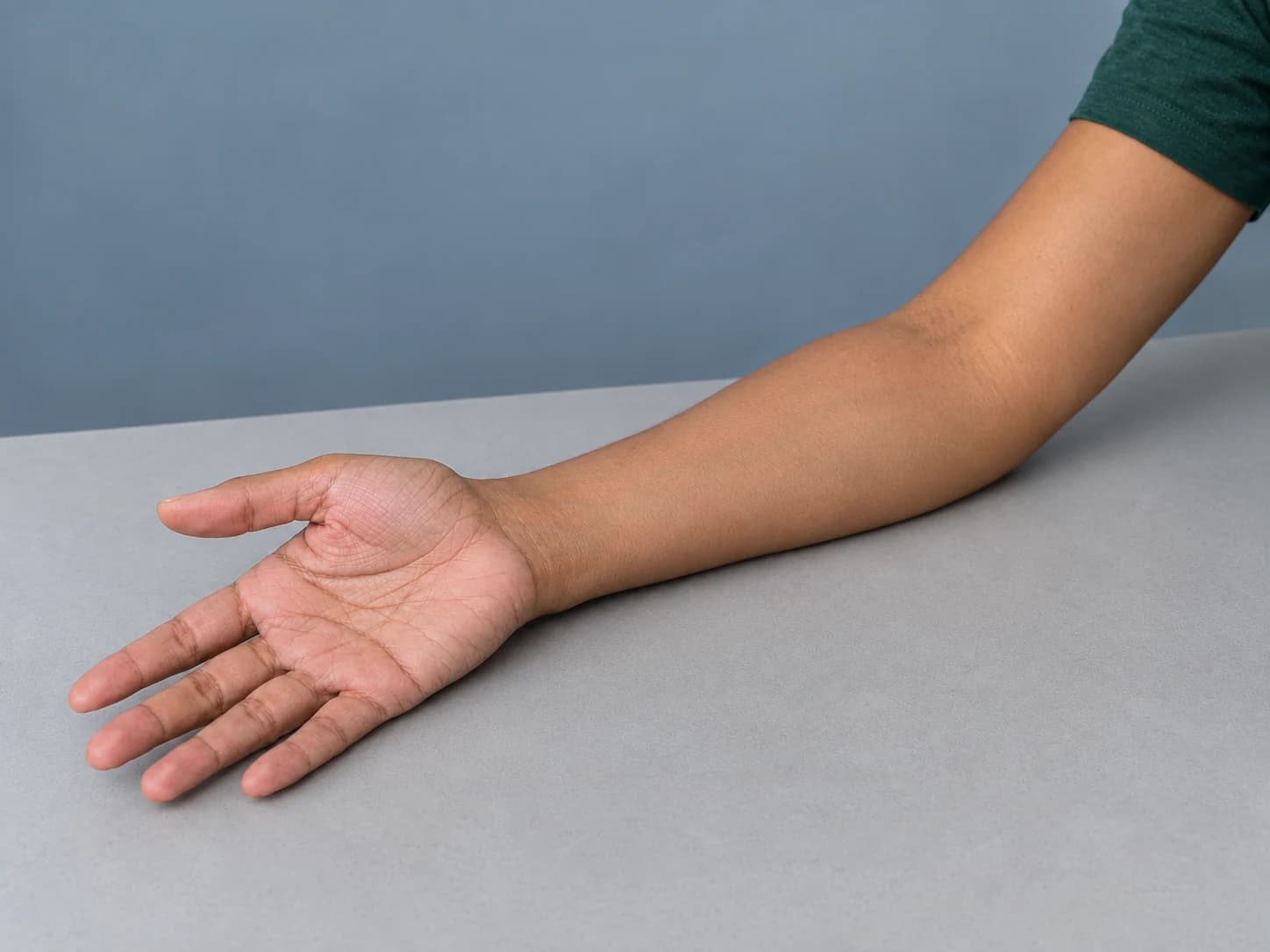
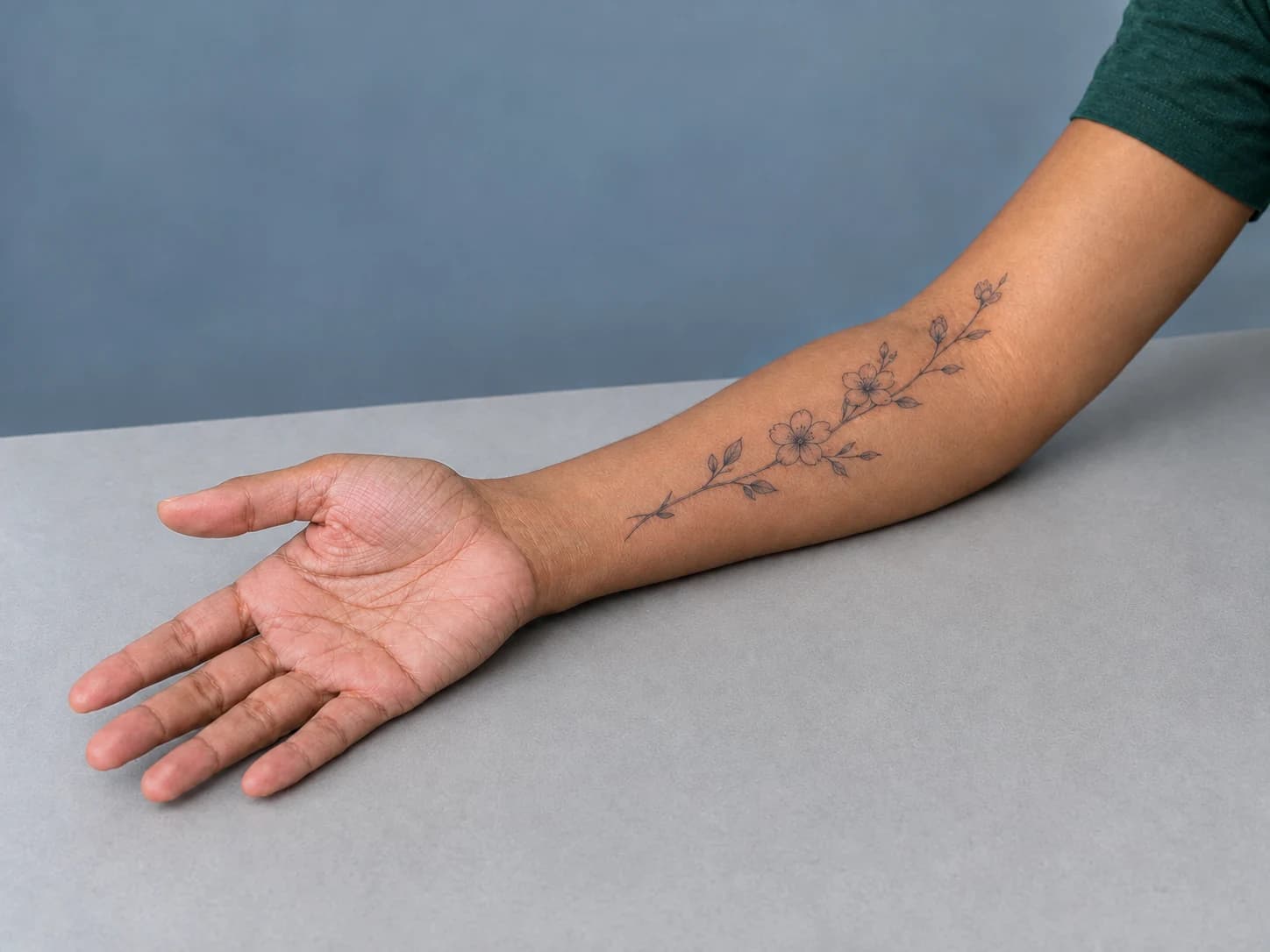
Small fine-line flowering branch lengthwise on the visible inner left forearm, between wrist and elbow. No lettering.
Both images are AI generated and show a fictional adult forearm. This is one illustrative tattoo preview, not a customer result or physical tattoo; outcomes vary.
FAQ
What if the tattoo area is hidden or cropped?
Choose another source photo that clearly shows the complete bare area and useful landmarks. A preview cannot reliably reveal hidden skin, and the design may appear on a different visible area.
Can a tattoo preview establish the exact size or final placement?
No. It can illustrate an intended appearance on a visible area, but it does not provide measured dimensions, a final stencil, physical ink, or a guarantee of how a tattoo artist will place it.
What should I bring to a separate tattoo discussion?
Bring the source photo, the generated preview, your placement note, and questions about size, proportion, orientation, and artist adjustments. Use the preview as a conversation aid, not as a substitute for professional judgment.