Virtual Staging or Interior Design? Choose What Should Change
PhotosLux ·
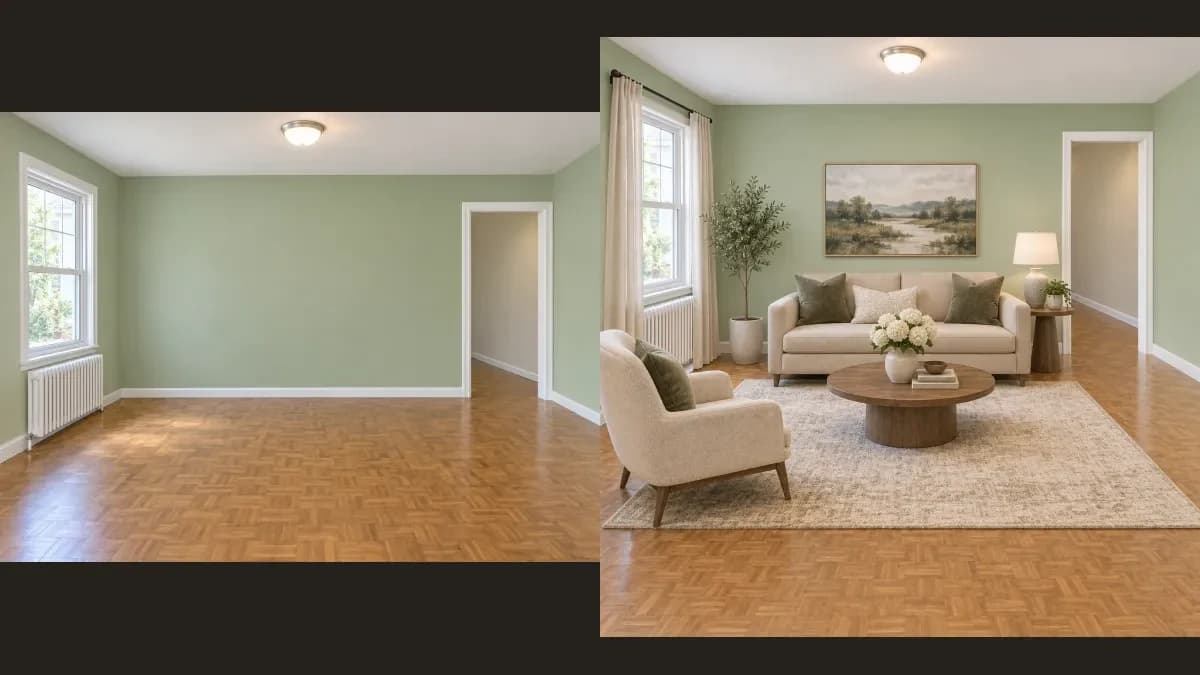
Choose Virtual Staging when you want to add or change movable furnishings in a room photo while keeping its existing finishes. Choose Interior Design when you want a broader concept that may restyle the furniture, palette, materials or fixtures; an empty room alone does not decide the workflow.
Choose by the scope of the change
Virtual Staging is for movable furnishings and decor: for example, adding a sofa, chair, rug and coffee table while retaining the walls, flooring and built-ins already in the photo. Interior Design can explore a broader coordinated look, such as new furniture alongside a different palette, materials or fixtures. Either can keep the room’s architecture; neither is a way to move structural walls or windows, or to create a measured plan.
Three room changes, three decisions
An empty room where you want a sofa and rug against its existing wall and floor finishes calls for Virtual Staging. The goal is to help picture furnishings in the room, not to change the finishes.
A sparsely furnished room where you want to replace a chair and add textiles, but keep the same walls, flooring and fixtures, also fits Virtual Staging. The key is the scope of the requested change, not whether the room is completely empty.
A room where you want a coordinated new palette and material look as well as different furniture calls for Interior Design. If the request includes changing finishes or fixtures, describe the broader concept rather than treating it as furniture-only staging.
Worked decision: furnish the room, keep its finishes
Consider a fictional empty living room with pale sage-green walls, medium-brown parquet, a white-framed window and radiator on the left, and an open doorway at the back-right. Those existing finishes and features are part of the room you want to retain. The desired changes are a small beige sofa against the back wall, an armchair, a rug and a wood coffee table. That is a furniture-only request, so choose Virtual Staging—not because the room is empty, but because the requested change is limited to movable furnishings.
The filled decision is: Workflow: Virtual Staging. Room type: Living room. Staging style: Modern neutral. Change: add the sofa, armchair, rug and coffee table. Keep: the sage walls, parquet, window, radiator, doorway and camera view. If you also wanted a different wall palette or floor material, that would be a broader Interior Design concept instead.
Use one furniture-only request
In PhotosLux, choose Virtual Staging, then select Room type: Living room and Staging style: Modern neutral. The request is: “Add a small beige sofa against the back wall, one armchair, a rug and a wood coffee table. Keep the green walls, parquet, window, radiator and doorway.”
If you use the separate extra-preferences field, keep it focused: “Keep the same room architecture, camera viewpoint, pale sage-green walls, parquet floor, white window and radiator, and open back-right doorway. Furniture only; no people, writing or logos.” These are requests, not guarantees of exact preservation. Upload one JPEG, PNG or WebP image up to 20 MB. Framing is automatic; inspect the generated image’s dimensions and aspect ratio against the source. An optional reference image is not needed for this example.
Inspect the furnished concept
Compare the generated result with the source: does it show the requested sofa, armchair, rug and coffee table? Are the sage walls, parquet, window, radiator, doorway and view still recognizable? Note any actual differences rather than assuming the preservation requests worked perfectly. If a finish changes, the result may not illustrate the furniture-only idea you intended.
This one synthetic example shows a Virtual Staging result, not a second Interior Design result. Imagined furniture is not real property inventory, and the image does not establish physical fit, clearance, construction details or property value. A useful caption is: “Digitally furnished concept; furniture is not in the original.”
Illustrative example
Illustrative example: a furniture-only living room concept
The synthetic 4:3 source shows an empty fictional living room with pale sage-green walls, medium-brown parquet, a white window and radiator on the left, and an open doorway at the back-right. Virtual Staging adds a small beige sofa, an armchair, a rug and a wood coffee table, plus curtains, wall art, plants, a side table and lamp, flowers and cushions. This result returned square (1024×1024) from the 1448×1086 (4:3) input. Both images are shown in full. Both frames are AI generated, not a customer before-and-after or a real property inventory; outcomes vary.
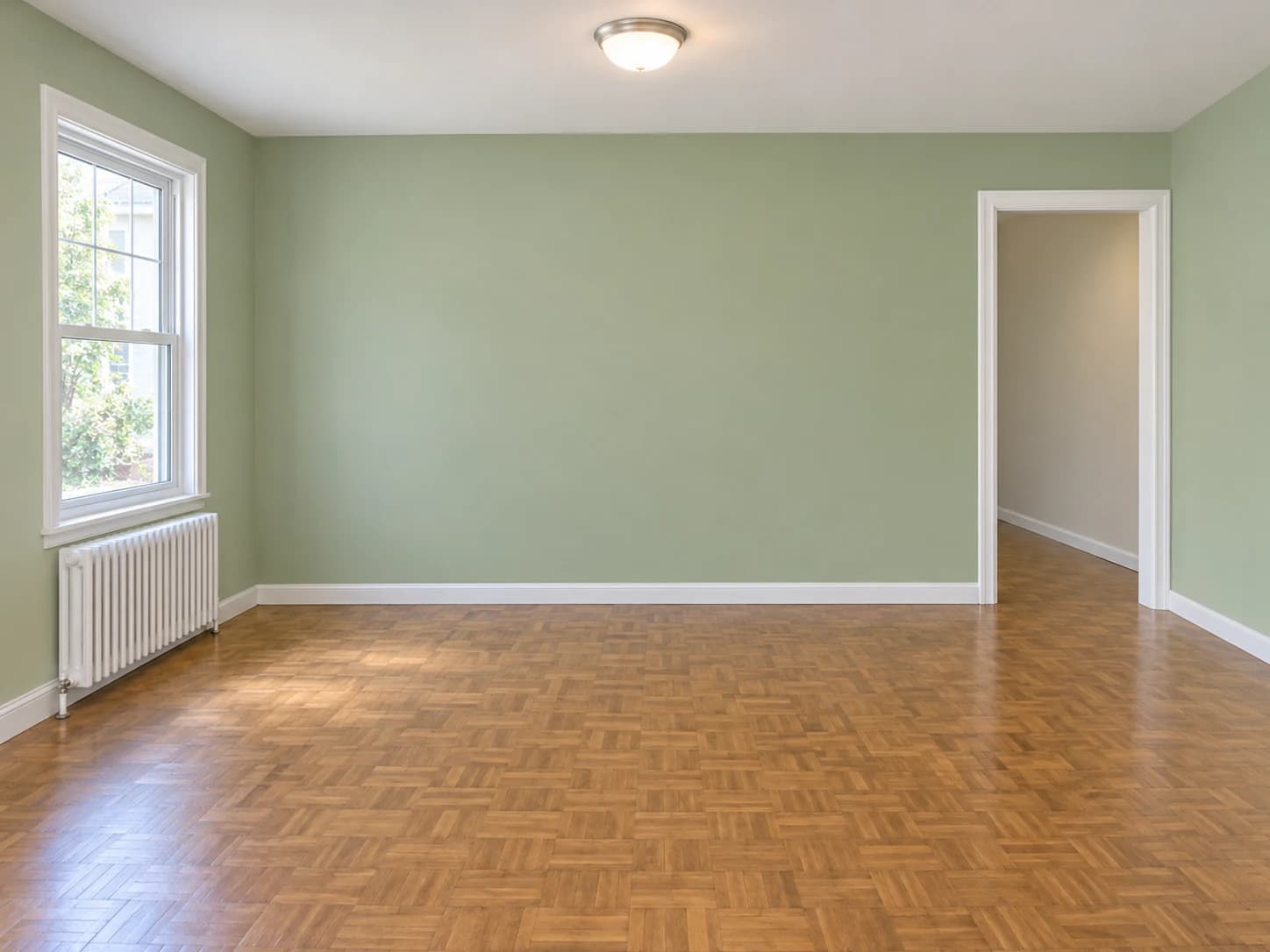
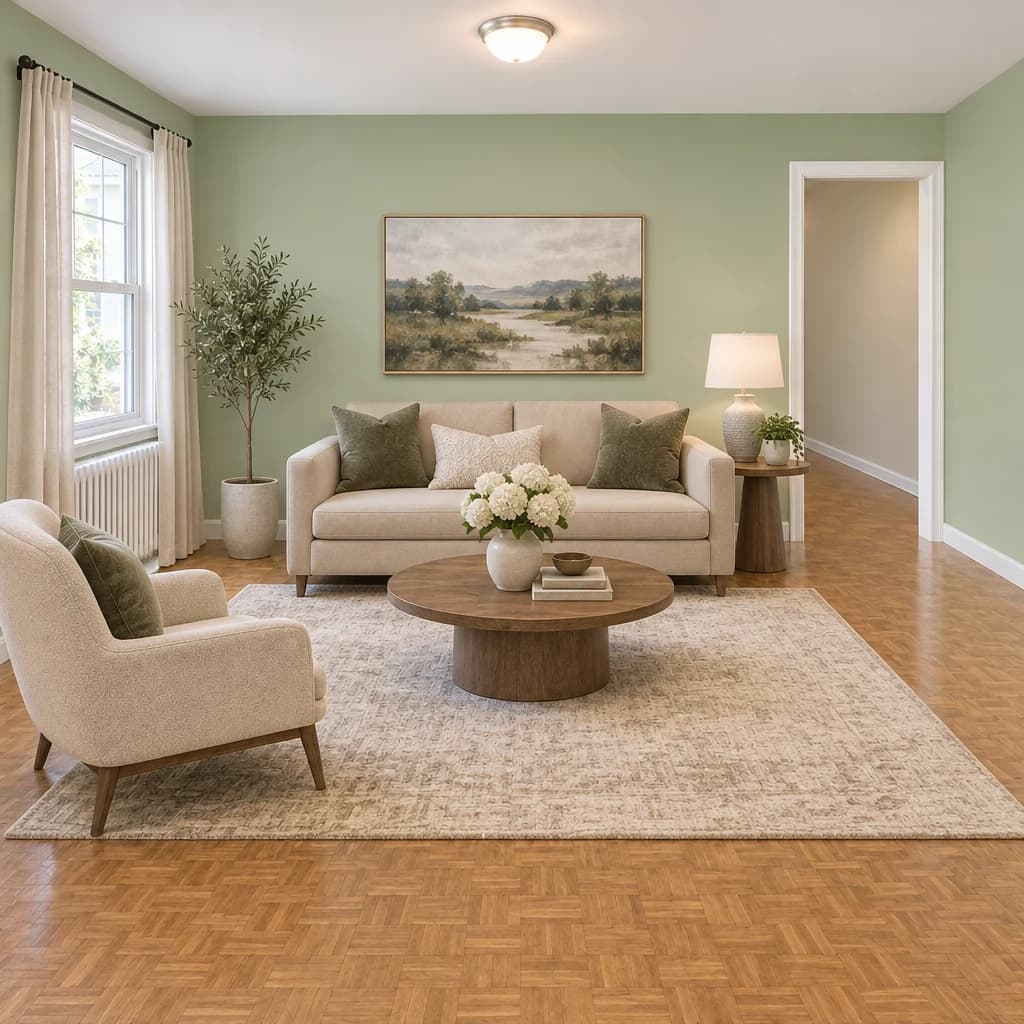
Add a small beige sofa against the back wall, one armchair, a rug and a wood coffee table. Keep the green walls, parquet, window, radiator and doorway.
Both images are AI generated and show the fictional room described in this example. This is an illustrative example, not a customer before-and-after photo; outcomes vary.
FAQ
Does an empty room automatically mean I should choose Virtual Staging?
No. Choose based on the intended changes. If you want movable furnishings while retaining existing finishes, choose Virtual Staging. If you want a broader furniture, palette, material or fixture concept, choose Interior Design.
Can Virtual Staging change the walls or flooring?
It is intended for movable furnishings and decor while retaining existing finishes. If you want to explore new wall colors or flooring as part of a broader concept, choose Interior Design and review the result for changes beyond your request.
Does a staged image show real furniture or prove it will fit?
No. Added furnishings are a digital concept, not property inventory. A generated image also does not establish measurements, physical fit, clearance or construction details.