What to Do With Your Hands in Photos: Three Relaxed Portrait Positions
PhotosLux ·
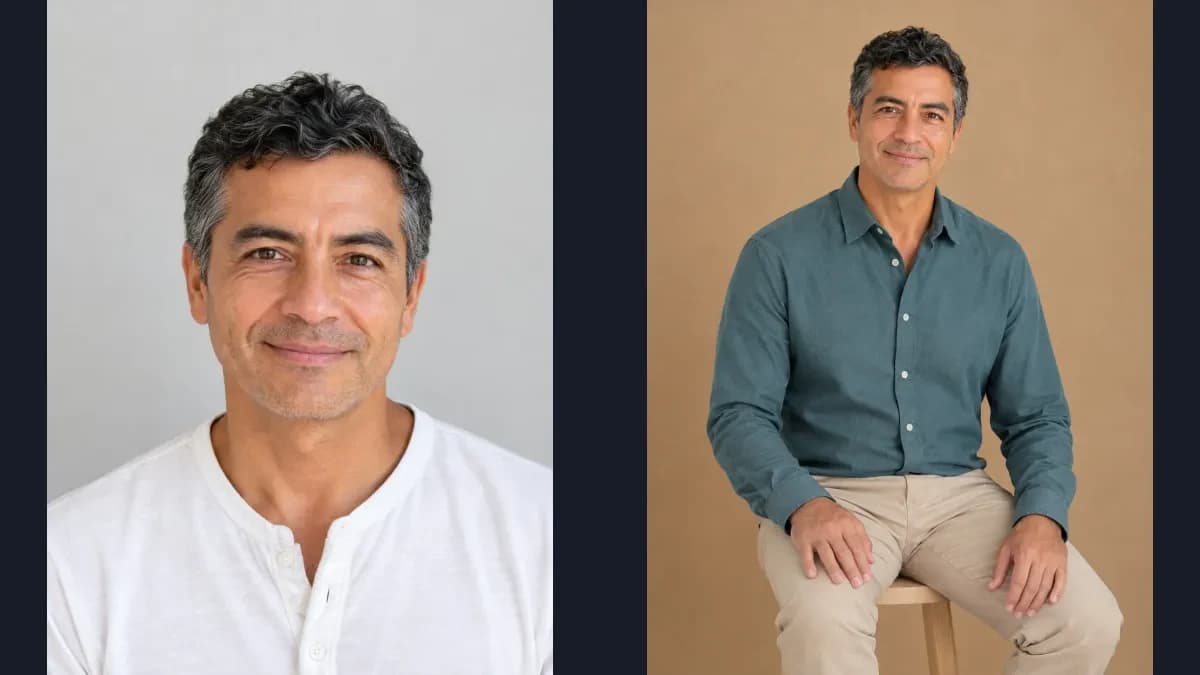
For a relaxed portrait, give your hands one simple, comfortable place to rest instead of clenching them or forcing a gesture. Try resting them on your thighs, lightly touching a sleeve, or placing one partly in a pocket.
1. Choose a comfortable resting place
When you are unsure what to do with your hands in photos, start with a clear purpose: let them rest or make gentle contact with clothing. A simple position can help a portrait feel settled without asking you to perform a complicated gesture.
These are options, not universal rules about what looks flattering. Choose a position that feels comfortable for you and suits the scene; you do not need to force a specific hand shape.
2. Rest each hand on its own thigh
For a seated portrait, place each hand separately on its own thigh, palms down. Keep the hands relaxed rather than gripping the fabric or interlacing the fingers. This gives both hands a clear resting place and works well when the frame includes your lap.
Reusable direction: “Sit comfortably upright and rest each relaxed hand palm-down on its own thigh.”
3. Lightly touch a sleeve or forearm
For a standing or seated portrait, let one hand make light contact with the opposite sleeve or forearm while the other arm rests naturally. Keep the touch gentle, with no squeezing, and avoid placing the hand where it covers your face. The aim is a quiet point of contact, not a rigid joint or a tightly held pose.
Reusable direction: “Let one hand rest lightly on the opposite sleeve, with the other arm relaxed at your side.”
4. Use a pocket as a relaxed alternative
If your outfit has a suitable pocket, you can place one hand partly inside it while leaving some of the hand visible. Let the other arm hang comfortably. This can give the hand a simple resting place in a casual portrait; it is a written pose idea, not the position shown in the seated example below.
Reusable direction: “Place one hand partly in a trouser pocket, with some of the hand visible, and let the other arm rest at your side.”
5. Describe one position, then review the result
In PhotosLux, put one preferred hand position in extra preferences for a new professional photoshoot scene. The example below uses the separate hands-on-thighs position. Its description guides the new scene but does not guarantee exact finger placement or joint control. These preferences guide a new scene rather than modifying an existing result.
Review the hands in context: check that each visible hand connects coherently to its wrist, that the joints and any contact with clothing or thighs look plausible, and that fingertips have not fused or created unintended extra limbs. Natural overlap can hide part of a hand, so every finger does not have to be visible. If the pose feels awkward, try a simpler direction for a new scene.
Illustrative example
Illustrative seated portrait example
An illustrative PhotosLux portrait uses a synthetic reference of a fictional 52-year-old man with short wavy black hair graying at the temples, warm brown eyes, and medium tan skin. The new portrait places him upright on a light wood stool in a studio with a warm tan backdrop. He wears a muted teal long-sleeve button-up and sand-beige trousers. The head-to-below-knees frame shows relaxed hands, palms down, separately on their own thighs. Both images are AI-generated, not a customer result.
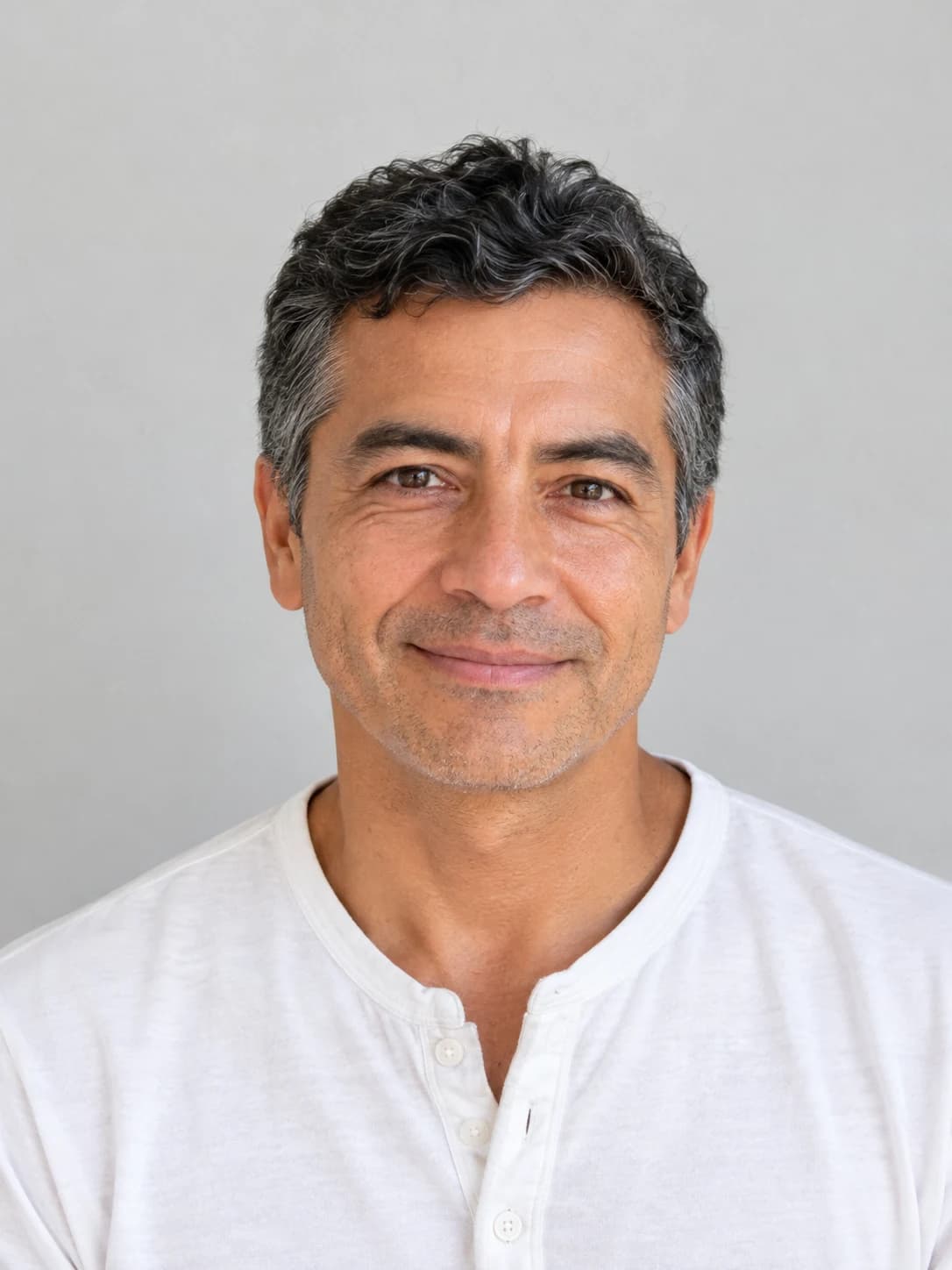
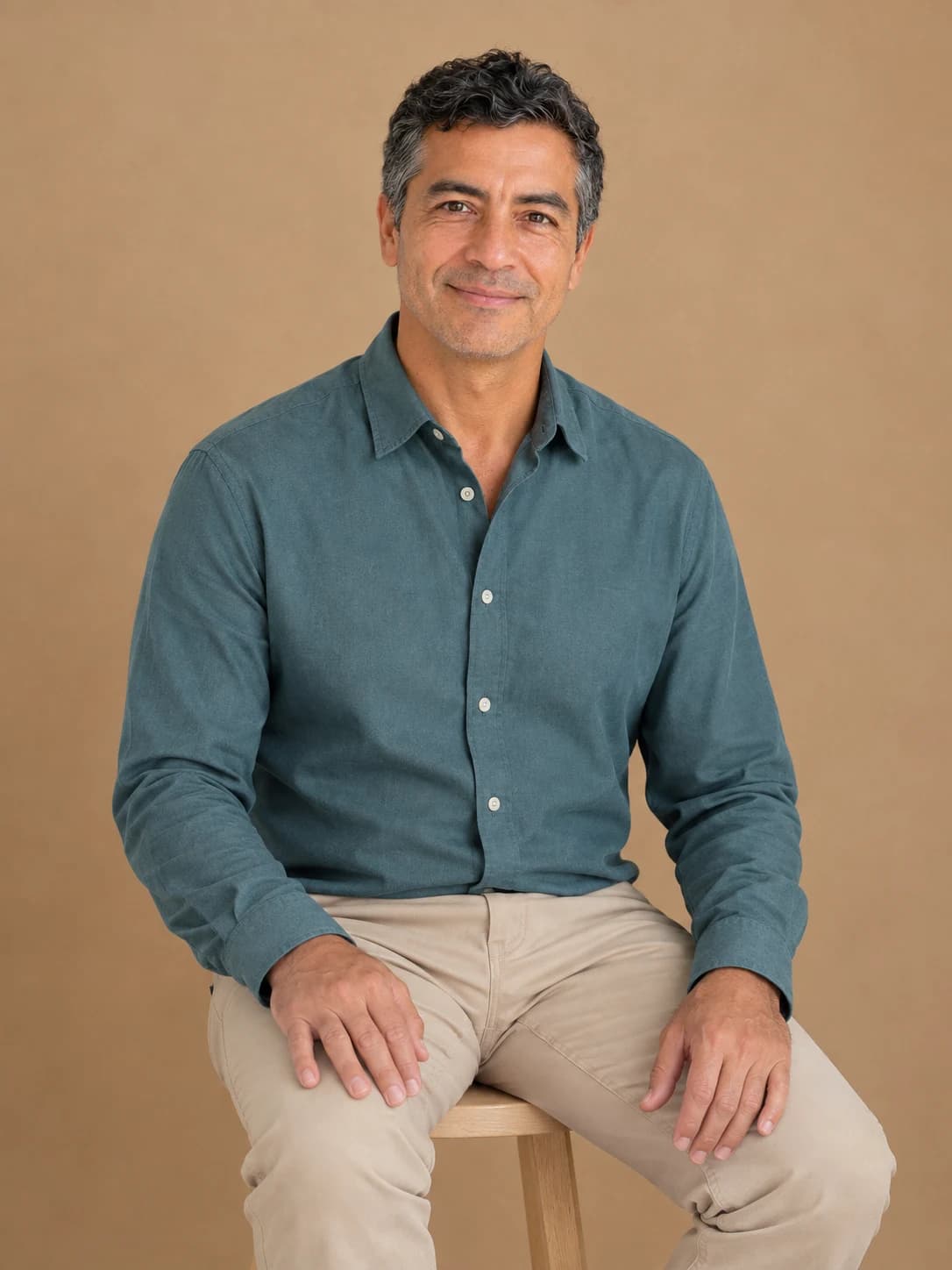
Create a natural portrait of one adult seated comfortably upright on a plain light wood stool in a quiet studio with a warm tan backdrop. He wears a plain muted teal long-sleeve button-up shirt with sleeves down and plain sand-beige trousers. He looks toward the camera with a gentle natural smile. Frame from head to just below the knees so both hands and thighs are fully visible. Each hand rests lightly on its own thigh, palm down, fingers relaxed without gripping, wrists neutral. Keep the hands separate, without crossed arms or interlaced fingers. Use soft, even daylight and realistic skin texture. No props, text, lettering, logos, or jewelry. Natural treatment, 3:4 portrait.
Both images are AI generated and show a fictional adult. This is an illustrative example, not a customer result; outcomes vary.
FAQ
Must both hands be visible in every portrait?
No. The framing and pose can leave part of a hand out of view or naturally overlap it with clothing. When hands are visible, check that their placement looks coherent in the scene.
Can I force the exact finger position in PhotosLux?
No. Extra preferences can describe a desired pose for a new scene, but they do not provide exact finger or joint control, and the result may vary.
What should I check if a hand looks awkward in the generated result?
Look at the connection between hand and wrist, whether joints and contact with nearby surfaces seem coherent, and whether any fingertips appear fused or extra limbs appear. A simpler hand position may be worth trying in a new scene.