What to Wear for an AI Professional Headshot: Colors and Background Contrast
PhotosLux ·
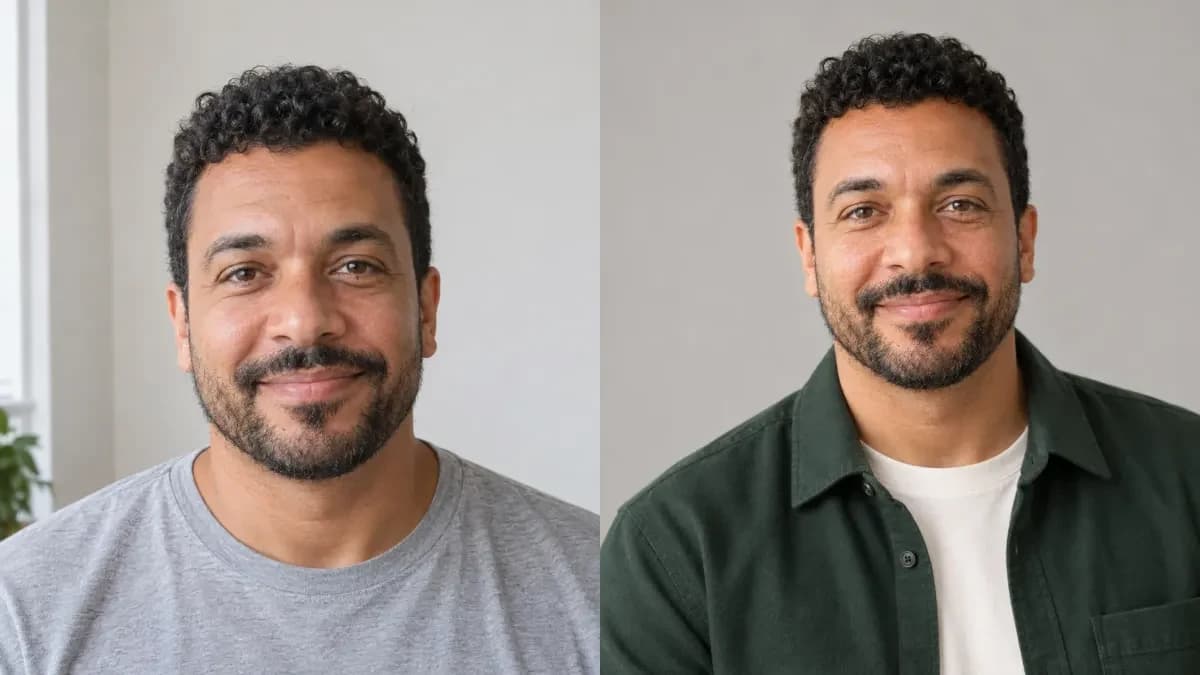
For an AI professional headshot, wear a polished outfit that fits your audience, with a color that contrasts clearly against a simple background. There is no single best color: the goal is to keep attention on your face and make the clothing easy to read.
Match your outfit to the audience
Think about where you will use the portrait and how formal you want to appear. A structured jacket can feel right for a more formal profile, while a neat knit, blouse, or overshirt may suit a relaxed workplace. For LinkedIn, corporate headshots, or a personal website, choose something you would feel comfortable wearing to a real professional introduction.
You do not need to wear a suit. A clean, well-fitting garment in your usual style can look professional without feeling stiff. Aim for a single clear outfit idea rather than several competing layers or accessories.
Pair outfit color with a contrasting background
For a useful color pairing, compare the clothing with the background you have in mind. A dark navy or forest-green layer can stand apart from a light warm-gray backdrop; a pale shirt may read clearly against a deeper background. If both are similar in lightness and color, the garment can blend into the scene.
Solid, mid-tone colors are often easy to read, but no shade works for everyone or every setting. Consider your skin tone, the mood you want, and whether the background is light or dark. If you are unsure what color to wear for a headshot, choose one calm main color and a background that gives its outline room to show.
Describe the neckline, layers, and small details
In the outfit field, name the garment and its color, then specify the neckline and any layer. For example: “deep forest-green unpatterned overshirt over a plain ivory crew-neck shirt.” This is clearer than “business casual” alone and helps define how the clothes should sit around the face and shoulders.
Simple fabrics and small details tend to stay visually tidy. Ask for a clean neckline and clear garment edges; avoid busy patterns, prominent logos, text, or accessories if you want a restrained portrait. PhotosLux lets you set the outfit, scene, extra preferences, photographic treatment, and 3:4, 4:3, or 1:1 format.
Keep the scene quiet and the crop useful
A plain or softly understated setting makes outfit-to-background contrast easier to judge. In your scene description, name the background color and ask for the face and shoulders to remain visible. A square crop can suit a profile image, while other formats may fit different uses.
PhotosLux creates a new scene using an uploaded photo as an identity reference. Professional photoshoots use one reference photo of one person. The generated outfit can differ from the clothes in that photo: describe the intended clothing clearly rather than relying on the reference outfit to determine it.
Review the garment and its edges before using the portrait
Check the result at full size and as a small thumbnail. Look for clothing that merges with the background, an altered neckline, unexpected patterns or accessories, and edges around the collar and shoulders that look unclear. Also review the face and any visible hands; generated results can vary and may need another attempt.
A portrait is a creative image, not proof of employment, credentials, or eligibility for an identity document. Use the version that looks appropriate for your purpose, and review it carefully before sharing.
Illustrative example
Illustrative forest-green and warm-gray pairing
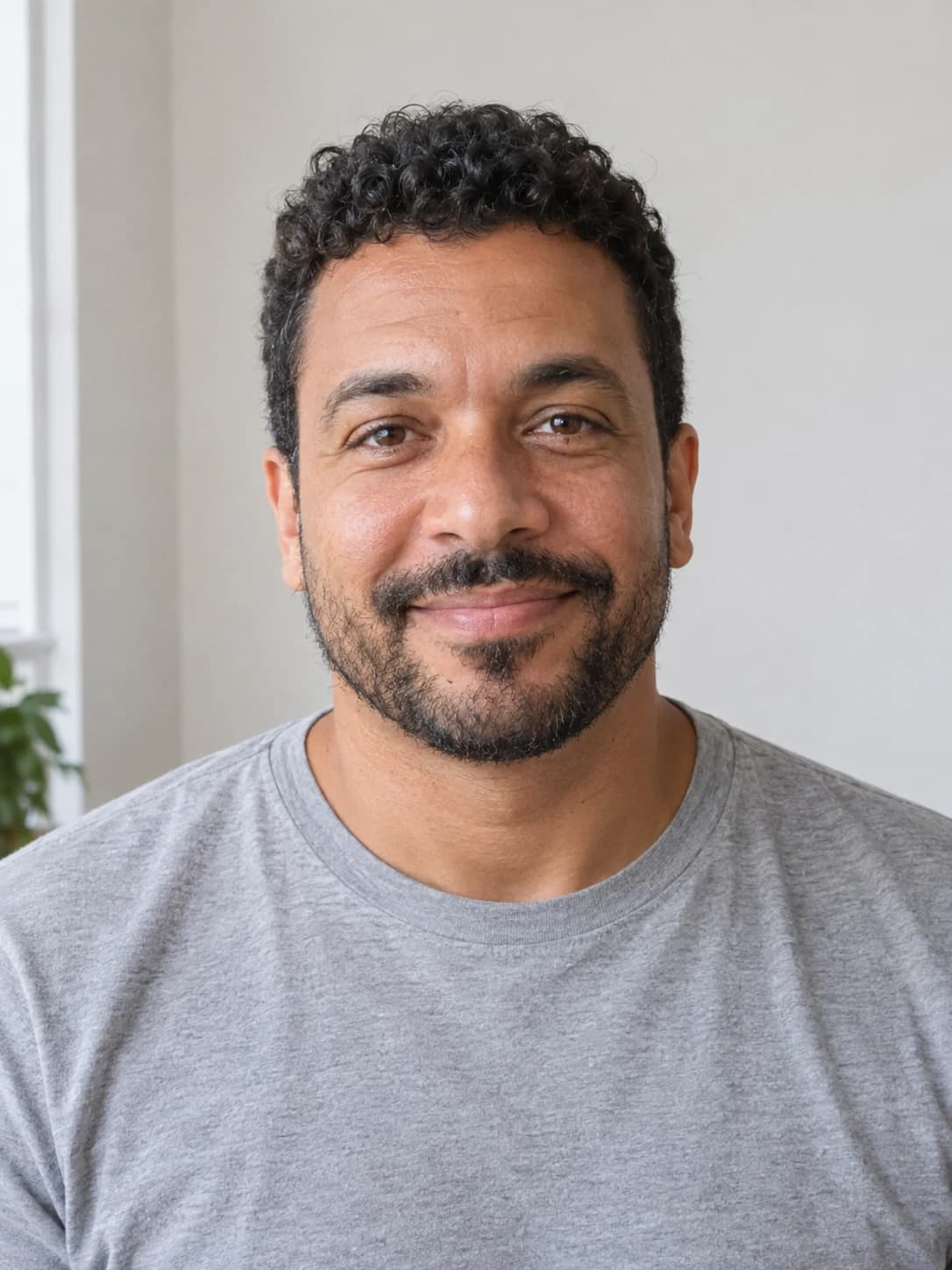
This illustrative PhotosLux example pairs a fictional 42-year-old man’s synthetic casual reference portrait with a new AI-generated professional studio portrait. The reference shows him in a plain gray T-shirt; the generated outfit changes to an unpatterned deep forest-green overshirt over an ivory crew-neck shirt. A light warm-gray backdrop separates the green layer while keeping the face prominent. Natural treatment, relaxed posture, gentle smile, visible face and shoulders, clean garment edges, no text or accessories, and square format complete the pairing.
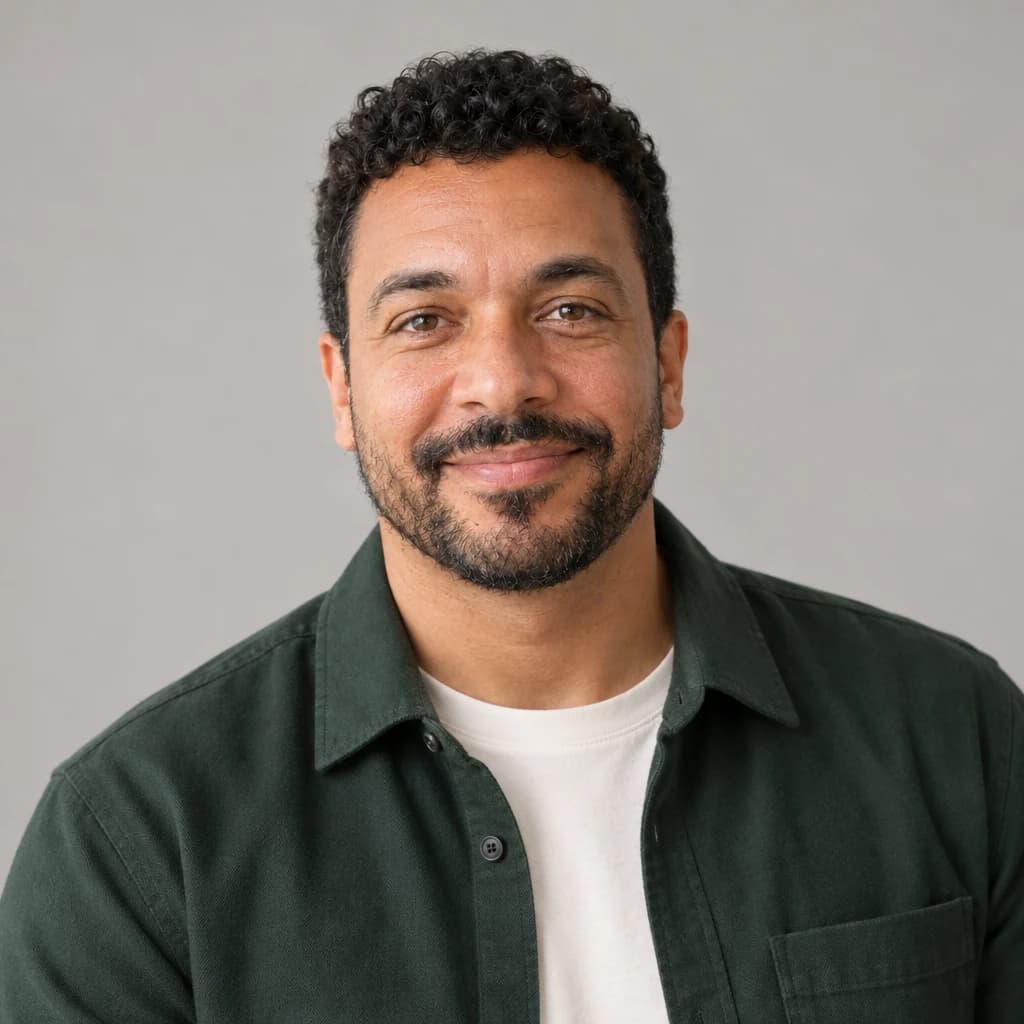
Fictional adult man in a deep forest-green unpatterned overshirt over a plain ivory crew-neck shirt, against a plain light warm-gray studio backdrop. Natural photographic treatment, face and shoulders clearly visible, relaxed posture, gentle natural smile, clean neckline and garment edges, no text, logos, or accessories. Square 1:1 format.
Both images are AI generated and show a fictional adult. This is an illustrative example, not a customer result; outcomes vary.
FAQ
Do I need a suit for a professional headshot?
No. Choose a neat outfit that fits your audience and feels appropriate for how you will use the portrait. A polished shirt, knit, blouse, or overshirt can work as well as a suit.
Can the outfit differ from the reference photo?
Yes. Describe the intended outfit in the clothing field. The generated result may differ from your request, so review the clothes and neckline before using it.
How can I stop my clothes from blending into the background?
Choose a background with a noticeable difference in lightness or color from your main clothing layer. Ask for clear garment edges and check the result at full size and thumbnail size.